“Privacy-friendly analytics” is now a crowded category. The label is not regulated and does not mean the same thing across tools.
A tool can call itself privacy-friendly while still using cookies, requiring a consent banner, routing visitor data through non-EU infrastructure, or depending on a business model that rewards broader data collection. The criteria below cut through the positioning and let you evaluate what any tool actually does.
"After evaluating multiple vendors, we eventually landed on Plausible. These reasons and the ease of use of this product have made an otherwise hard decision a lot easier. We are proud to be a part of preserving the privacy of companies and individuals on the internet, and celebrating tools like Plausible which enable actionable insights for companies like ours without compromising our core values."
"I mainly use Plausible for my site's analytics. I really like them: they're privacy-focused, open source and show me exactly the subset of data I want to see. Most importantly, they don't set cookies."
- What are the best privacy-friendly analytics tools?
- Does it require a cookie consent banner?
- Is visitor data hosted in the EU?
- What is the business model?
- Is it open source and independently maintainable?
- Is there a real team behind it?
- Does privacy come at the cost of accuracy?
- Do you own and control your data?
- How heavy is the tracking script?
- Is the dashboard actually usable?
- Can you self-host it?
- Why Plausible
What are the best privacy-friendly analytics tools?
If you’re researching privacy-friendly analytics, you’ll probably come across tools often considered in this category, such as Plausible, Fathom, Simple Analytics, Matomo, Umami, PostHog, Cloudflare Web Analytics and others.
There is no single best tool for every site. A personal blog, agency client dashboard, open source project, ecommerce store and compliance-sensitive EU company may all need different trade-offs. The useful question is not which vendor says “privacy-friendly” most convincingly. It is what the product collects, where the data is processed, who controls it and what the vendor is incentivized to do with it.
Use the criteria below as a stable checklist. They let you evaluate any analytics tool without relying on feature tables that go stale as products change.
Does it require a cookie consent banner?
In Europe, cookie banners are usually about two related questions: does the tool store or access information on the visitor’s device, and does it process personal data? Persistent identifiers, tracking cookies, cross-site tracking and many analytics configurations need consent before they run.
If an analytics setup requires a consent banner before it can collect data, that is a signal worth investigating. It may be using cookies or similar identifiers, collecting personal data, sharing data with third parties, or relying on settings that only become privacy-friendly after careful configuration.
A genuinely cookieless tool that does not collect personal data should not need a banner just to run analytics. The key is whether this is true by design, not only after disabling features or accepting lower functionality.
The practical consequence matters: when analytics depends on consent, visitors who decline are usually missing from the directly measured data. On EU-focused sites, consent acceptance rates commonly run 40 to 60 percent. Built-in tools handle this differently, so check how consent and visitor recognition affect analytics in Shopify, Squarespace, Wix and other website platforms before comparing their totals.
There is also a compliance overhead cost that goes beyond the banner itself. Running a consent-based setup typically requires a consent management platform such as OneTrust or Cookiebot, documented consent records, granular opt-out controls and ongoing audits of what tags fire after a visitor declines. These are recurring costs, not one-time setup. A tool that removes the need for consent removes this entire layer.
When evaluating any privacy-friendly analytics tool, check whether the absence of a consent banner is a structural property of the product, a jurisdiction-specific exemption, or a configuration mode that trades off other capabilities.
Is visitor data hosted in the EU?
“GDPR compliant” is a claim almost every analytics tool makes. It is not the same as EU-hosted.
The Schrems II ruling in 2020 invalidated Privacy Shield and forced organizations to examine whether transfers of EU personal data to US providers had adequate protection from US government access. Since then, data protection authorities across Europe have found that specific Google Analytics implementations can constitute unlawful data transfers. Multiple EU countries have ruled Google Analytics illegal on these grounds.
The EU-US Data Privacy Framework adopted in 2023 is the current adequacy mechanism for certified US companies. It replaced Privacy Shield, which was invalidated by Schrems II. It gives many vendors a transfer basis today, but it is not the same thing as avoiding transfers altogether, and the underlying structural issue remains: US surveillance law applies to US companies regardless of where they claim to store data.
The cleanest way to reduce this transfer risk is EU-hosted analytics: a tool incorporated in the EU, running on EU-owned infrastructure, with no US parent company that could be compelled to produce the data. See why that difference matters here.
If your organization requires formal documentation, look for a tool that provides a Data Processing Agreement, a published data policy and an independent legal assessment of its compliance status.
What is the business model?
The business model of an analytics tool determines the incentives behind every product decision. It is not background context.
Google Analytics is free because it sits inside Google’s broader advertising ecosystem. The analytics dashboard is how Google keeps website owners connected to that ecosystem. The product is not just the dashboard.
Venture funding is not inherently bad, but it changes the return expectations. Ask whether the company can meet those expectations through subscriptions alone, or whether growth eventually depends on broader data collection, ad products, cross-selling, lock-in or an exit.
A subscription-funded analytics tool works differently. Revenue comes from customers paying for something useful. Collecting more data than necessary does not generate revenue. Privacy is not aspirational. It is commercially rational: minimal collection is cheaper, legally simpler, and what paying customers actually want.
If a tool is free, ask who is paying for it and what that funder gets in return.
Is it open source and independently maintainable?
Privacy claims from a closed-source product cannot be independently verified. You are relying on the vendor’s description of what the product does.
Open source means the claims can be checked. Anyone can read the code, confirm what is collected, verify that the stated data policy matches actual product behavior, and audit what fires when a visitor loads a page. For organizations with compliance requirements, the code is the documentation.
Long-term maintainability is the other side of this. An analytics tool is infrastructure. You build reporting workflows around it, connect it to your site or deployment pipeline, and rely on it to be there. A tool that depends entirely on a single company’s continued commercial success is a risk. A tool built on open source code can be forked, self-hosted, or handed off to the community even if the original company changes direction.
When evaluating a tool, check whether it is open source, what license it uses and whether you could run it independently if you needed to.
Is there a real team behind it?
The privacy-friendly analytics space includes some very small projects. Some are built and maintained by a single person, often as a side project. That is not a criticism. It is a risk to factor into your decision.
Analytics is infrastructure. You connect it to your site, build reporting habits around it and rely on it to handle your traffic accurately. If the team maintaining the tool moves on or loses momentum, the project may stagnate even if the code is still available.
Before choosing a tool, ask: how many people work on it full time? Is it profitable and self-sustaining? How long has it been running? How large is the paying customer base? Longevity also reflects the ongoing engineering investment needed for accurate analytics: bot filtering, crawler noise, spam referrers and new evasion techniques all require constant work.
Does privacy come at the cost of accuracy?
The common assumption is that privacy-friendly analytics means less complete data. The opposite is often true.
Consent-based analytics creates a measurement gap. Visitors who decline are not counted directly, or their activity is estimated through modeling rather than measured. The gap between your true traffic and your directly measured traffic is structural, not fixable through configuration.
Tools that collect no personal data and set no cookies can usually run without analytics consent. More visitors are counted directly. Privacy and accuracy are aligned here because the consent requirement is what creates the data gap in the first place.
Use the cookie banner traffic loss calculator to estimate the size of this gap on your site.
Do you own and control your data?
When you use an analytics tool, it processes visitor data on your behalf. Whether you own it and control what happens to it depends entirely on the tool.
The questions worth asking before you commit:
- Can you export your data at any time in a usable format?
- Can you access your data programmatically via an API?
- Can you delete all data for a site immediately, with no retention period imposed by the vendor?
- Is your data used by the vendor to improve their own products or shared with third parties?
- Is your visitor data used to train AI models, either by the vendor or a third-party they share it with?
- What happens to your data if you cancel?
A tool that collects data on your behalf should give you full control over it. That means export, API access, on-demand deletion and no secondary use by the vendor. “We don’t sell your data” is a weaker claim than “we have no commercial reason to collect more than you need.”
The AI training question is worth asking explicitly. Some vendors have started using product usage and other data to train or improve AI features. The practice is not always disclosed prominently. It is worth checking the data policy and terms of service rather than assuming the answer is no.
How heavy is the tracking script?
Every analytics tool adds JavaScript to every page load. The weight of that script affects page load time, Core Web Vitals scores and the experience for visitors on slow connections.
Google Analytics 4 adds 135KB of JavaScript when loaded via Google Tag Manager. Add a consent management platform and the total commonly exceeds 285KB. That is infrastructure that exists to manage other infrastructure.
A privacy-first analytics tool with no cookies and no consent requirement removes the consent platform entirely. The script itself should also be minimal.
Script weight matters beyond performance. A smaller, narrower script also reduces your legal attack surface: less code to audit, less to explain and less that can behave unexpectedly.
Is the dashboard actually usable?
An analytics tool you cannot read is an analytics tool you will not use.
Google Analytics 4 has dozens of report sections, requires custom Explorations to surface basic questions and takes training to use effectively. Many website owners open it, feel lost and close it again.
A privacy-first tool that collects only essential data should also show only essential data. The dashboard should give anyone on your team a clear picture of what is happening on the site, without setup, onboarding or prior experience with analytics. If you need to explain the dashboard before sharing it, that is a signal about the product.
This also applies when sharing data with clients, stakeholders or the public. Some tools let you make a dashboard publicly accessible with a link, no login required. This is useful for open source projects, agencies, content teams and organizations that value openness. Check whether public sharing is a first-class feature or a workaround.
Can you self-host it?
A cloud-hosted analytics service, however trustworthy, means a third party processes your visitor data. For organizations with strict data residency requirements, air-gapped infrastructure or a policy against third-party data processors, self-hosting may be a requirement rather than a preference.
Not every privacy-friendly analytics tool can be self-hosted. Open source tools can. Self-hosting puts you in complete control: your infrastructure, your retention policy, no external dependency.
The trade-off is maintenance. A self-hosted analytics server is infrastructure you own and operate. That is the right choice for some organizations and the wrong one for others. The option to choose should exist.
Why Plausible
Plausible is built around each of these criteria.
Consent and cookies: Plausible is cookieless by design and does not require an analytics consent banner under GDPR, ePrivacy and similar privacy laws. An independent legal review confirmed this: GDPR-compliant web analytics without consent. No consent platform, no banner and no ongoing compliance overhead for analytics.
EU hosting: Plausible is incorporated in Estonia, built by a team in the EU and hosted entirely on EU-owned infrastructure: Hetzner in Germany, UpCloud in Finland and Bunny in Slovenia. Visitor data never leaves the EU, which substantially reduces EU-US transfer risk. No US parent company, no investor control, no US infrastructure. Compliance documentation including a DPA, data policy and independent legal assessment is on the compliance page.
Track record: Plausible has been running since 2018. The team is 10 people working on it full time, bootstrapped and profitable, with 21,000 paying customers. Stripe, Hugging Face, Ghost, Home Assistant, the Rails Foundation, Harvard University and Sentry all run Plausible.
Business model: Plausible is funded entirely by subscribers. There is no advertising business, no data resale and no investor pressure to expand data collection. That is what funds the product.
Open source and maintainability: The code is open source under AGPLv3 and available on GitHub. Anyone can audit what is collected, and Plausible can be self-hosted permanently regardless of what happens to the company.
Accuracy: Because Plausible does not need analytics consent, there is no consent gap created by the analytics tool. Visitors can be counted directly without waiting for a cookie-banner opt-in. An independent Orbit Media study comparing GA4 to Plausible on the same site found GA4 captured only 55.6 percent of actual traffic, primarily because of consent declines. Sentry removed advertising cookies in 2023, switched to Plausible and later published two years of results.
Data ownership: You can export all data as CSV, access it via the Stats API and delete your site data at any time. Your visitor data is never used to train AI models, shared with third parties or processed for any secondary purpose.
Script weight: The Plausible tracking script is 2.5KB gzipped, compared to 135KB for GA4. No consent platform needed on top of it. See the full analytics script size comparison.
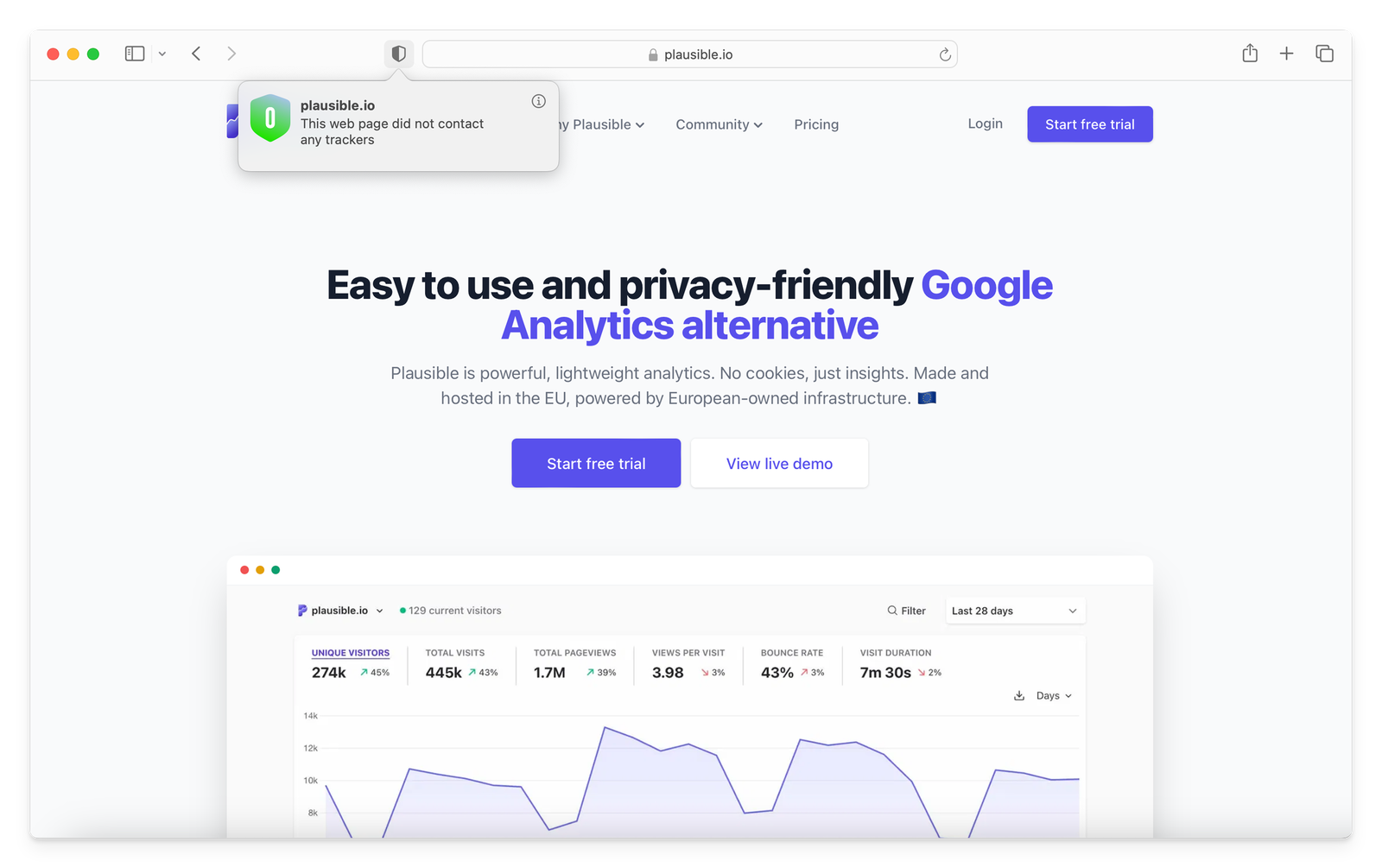
Dashboard and sharing: Everything is on one page: visitors, sources, pages, locations, devices, goals. Filterable by any dimension, readable without training and shareable with anyone. Any dashboard can be made public with a single toggle. The live demo shows real traffic data with no account required.
Self-hosting: Plausible Community Edition is the free, self-hostable version built from the same open source codebase. You run it on your own infrastructure and pay no Plausible subscription fee for the software. Your only costs are the infrastructure and maintenance you choose to take on.
Start a free 30-day trial. No credit card required. You can run Plausible alongside your existing analytics to compare the data before you switch.
If you’re specifically replacing Google Analytics, see the full Google Analytics alternative comparison, or read more about privacy-focused web analytics.